

By default, SureDone sends Amazon the product's main UPC, the same one your other channels use. To send Amazon a different barcode, store it in its own field and map it to Amazon's product ID fields.
Amazon needs two values: the barcode itself (External Product ID) and what kind of barcode it is (External Product ID Type), such as UPC or EAN. SureDone sends your Amazon barcode only when both have a value. Otherwise it uses the main UPC.
1. Create the fields
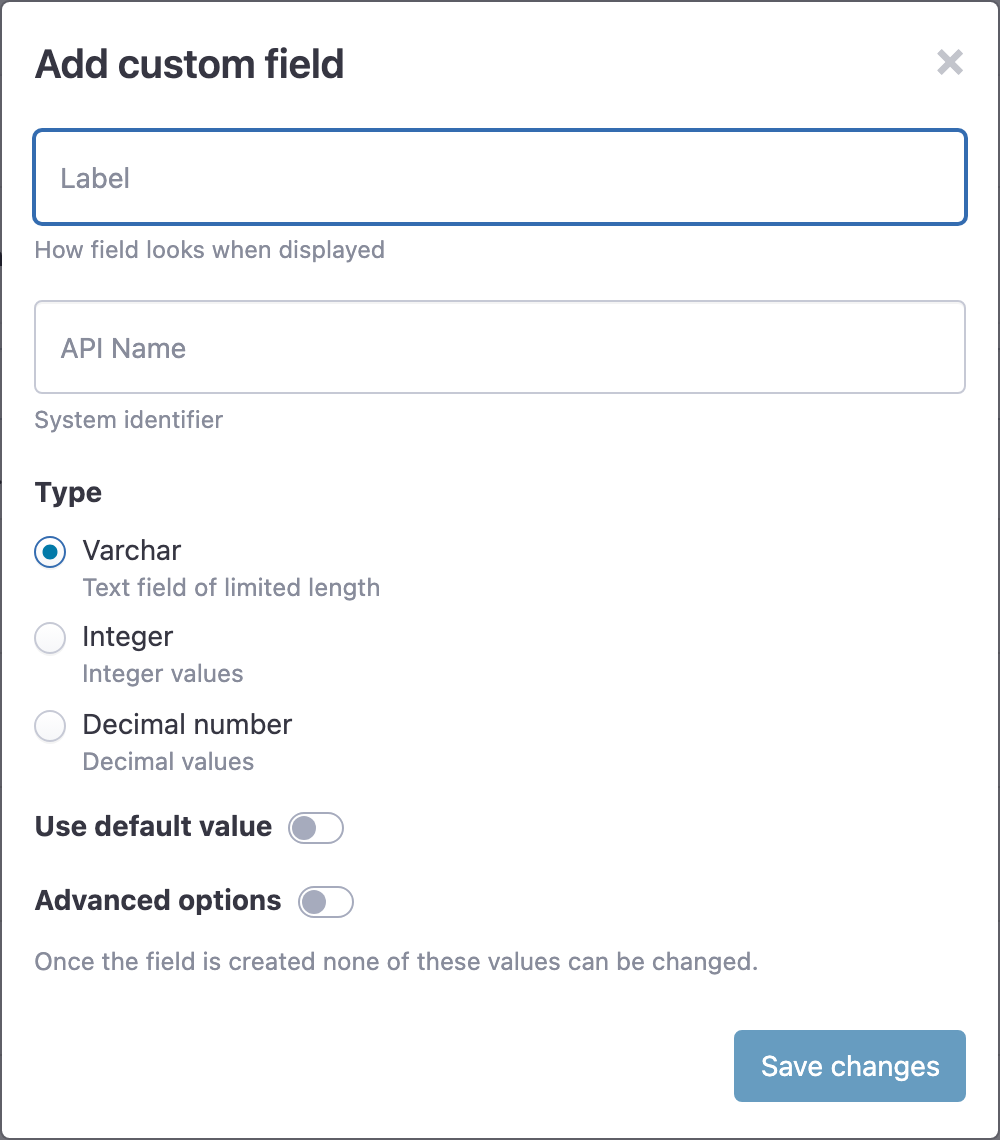
Go to Settings > Custom Fields, click Add field, and create two Varchar fields:
- one for the barcode, for example amznupc;
- one for the barcode type, for example amznupctype. Turn on Use default value and enter UPC, so new products get the type automatically.
Field settings can't be changed once a field is created.
2. Map the fields to Amazon
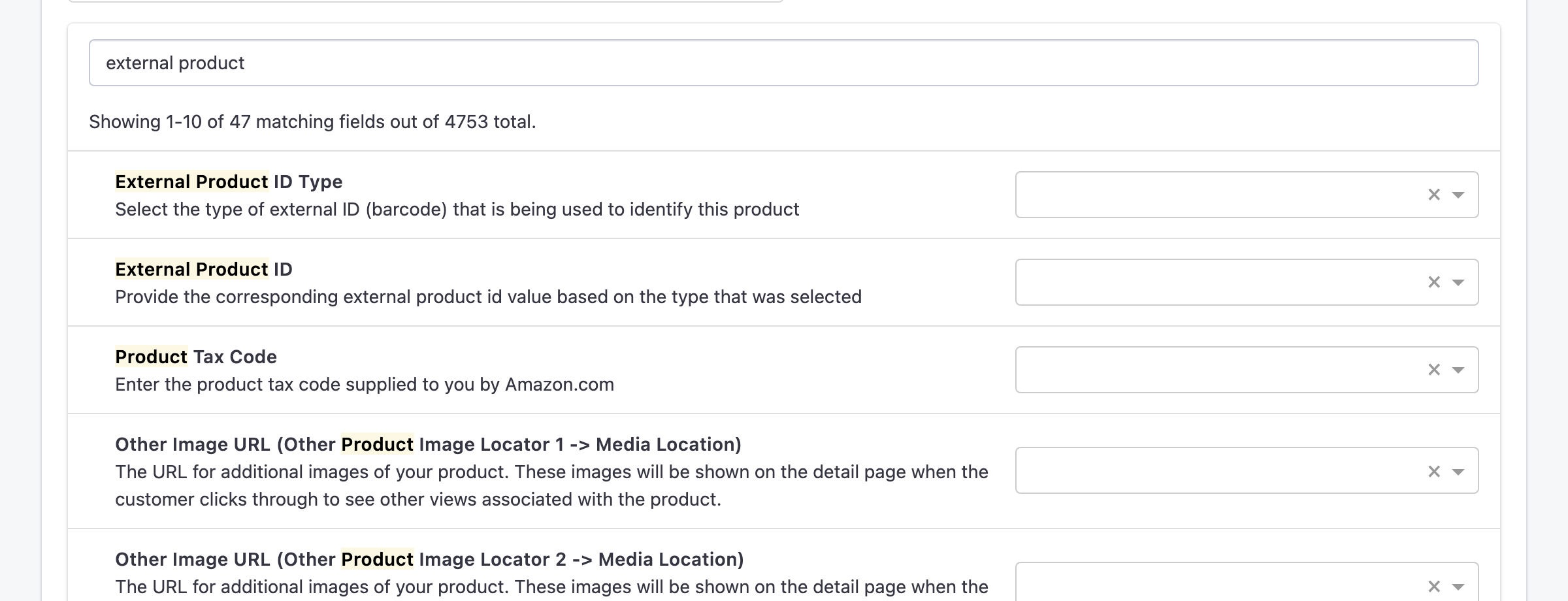
- Go to Channels > Amazon > Manage Fields. If you have more than one Amazon account, do this for each one that should use the separate barcode.
- Type "external product" in Search fields.
- Map External Product ID to your barcode field and External Product ID Type to your type field.
- Click Save changes.
3. Fill in the fields on your products
Enter the barcode and its type in the product editor, or in a bulk upload using your field names as columns:
The new barcode is sent the next time each product is listed or updated on Amazon. Products that have an ASIN are matched by the ASIN instead, and no barcode is sent for them.
