

1. Go to www.stamps.com
2. Click on "Get Started"

3. Enter your Credentials and press Continue

4. Fill out your mailing information and credit card information and press Continue

5. Select your Welcome Kit. If you do not need a scale, select Welcome Kit.

6. Go to the top right and Sign In to your account

7. Select an option

8. Log in to your SureDone account, click Settings in the left-hand navigation to expand it, then click Shipping.
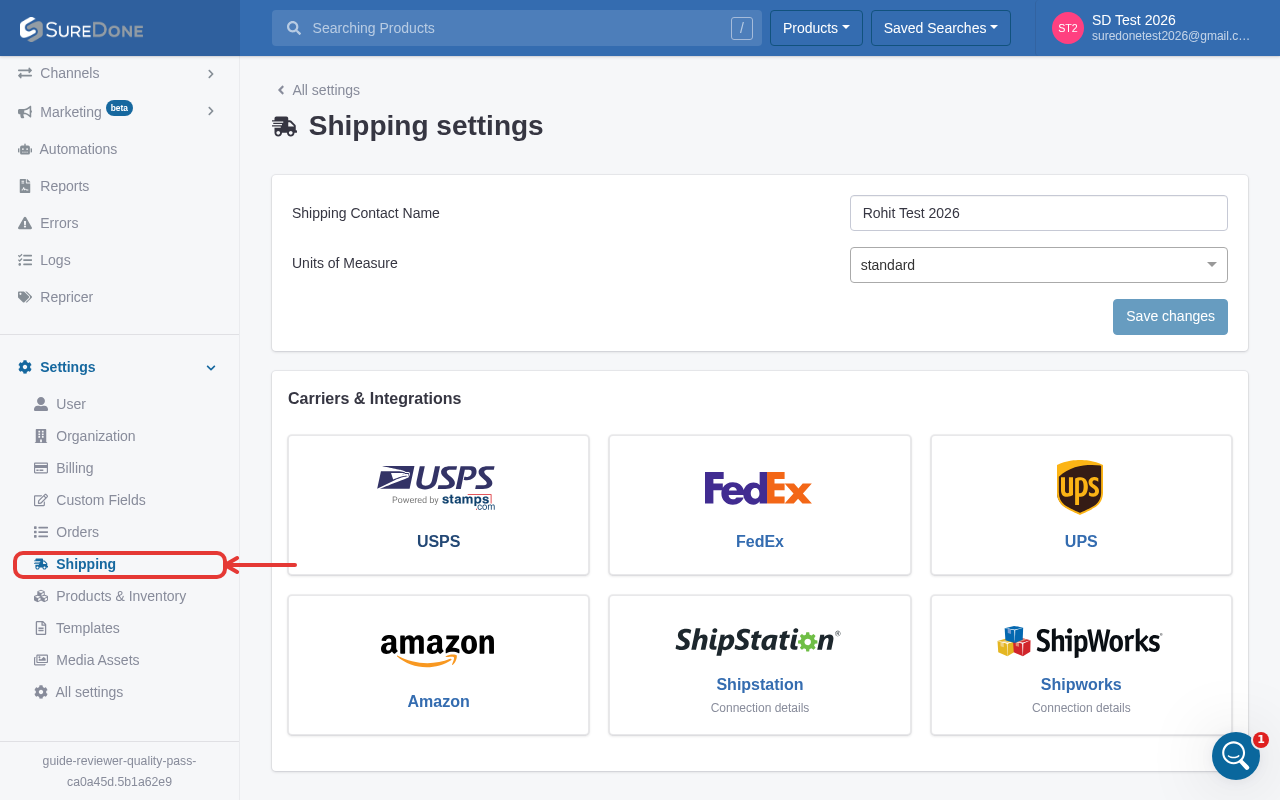
9. On the Shipping settings page, scroll to "Carriers & Integrations" and click the USPS card (labeled "Powered by stamps.com"). This opens a dedicated USPS/Stamps.com settings page — enter your Stamps.com ID and Stamps.com Password there.

10. Click Authorize at the bottom of the USPS (Stamps.com) settings form to save your credentials.
