

In order to access our bulk templates, open the left-hand navigation and click Bulk (not Products), then any item such as Upload or Export — this opens the Bulk module. From there, click the Templates tab at the top of the page.
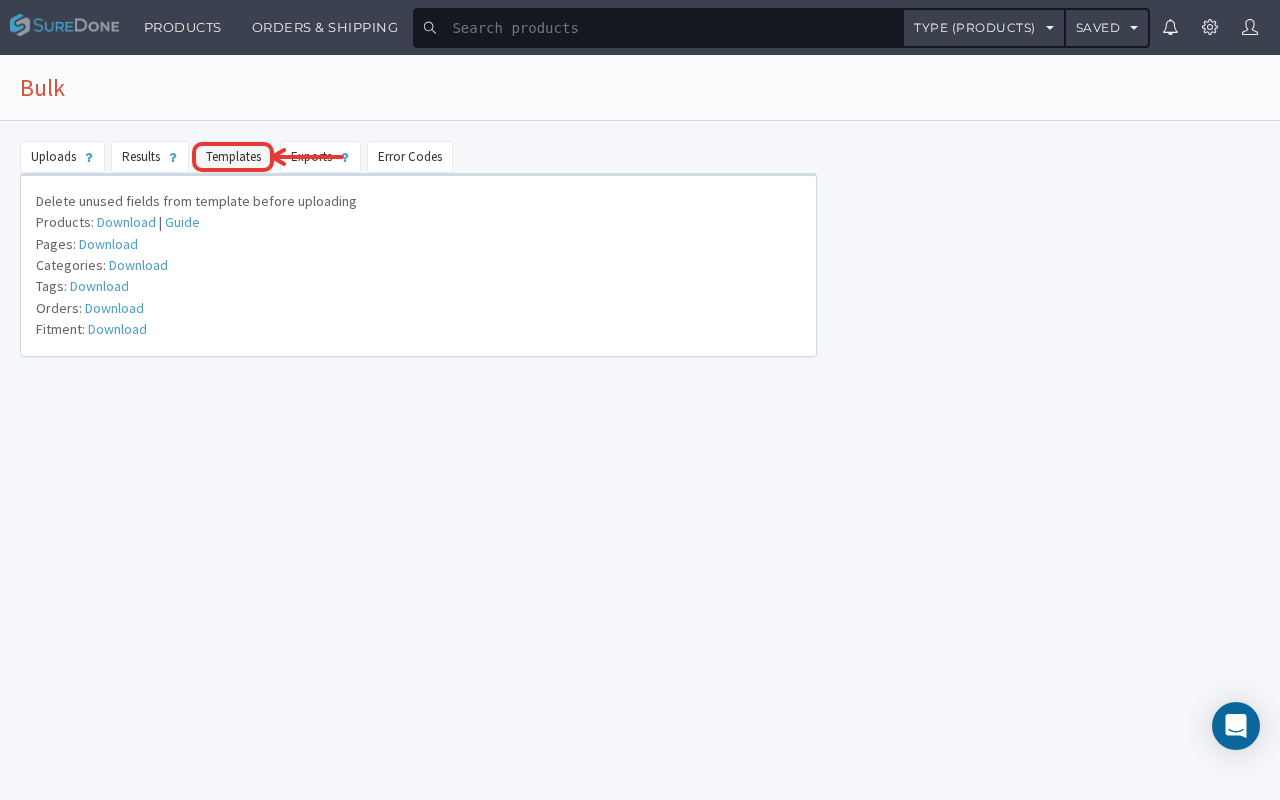
On that page you can find templates to ease the formatting and the setup of your bulk uploads. The templates currently offered are: Products, Pages, Categories, Tags, Orders, and Fitment.
Products - will offer you the full set of headers needed to list on all channels. If you click Guide you will download our "Bulk Headers Guide" that contains all headers that can be used in our system.
Pages - all headers that can help you process the pages of your storefront.
Categories - all headers that you can use to create or manipulate your Storefront categories.
Tags - all headers that are responsible for your search optimization (metadescription, etc....)
Orders - will include all headers needed to process or manipulate orders via bulk.
Fitment - headers used to bulk manage vehicle fitment data.
Note: the previously documented 'Posts' template is no longer offered in this list.
Please remember to delete unused fields from the template before uploading.