

Introduction
This document details how the seller can authorize Channels to use SureDone. In order for SureDone to be able to communicate with the Channels (such as eBay or Amazon), the credentials of the seller need to be authenticated by the channel. While logged into SureDone, the seller will be taken to the Channel’s site. From there, the seller will be required to authenticate that SureDone can be connected. Please note that no seller credentials are stored within SureDone. Ongoing authentication is established using a token from the Channel.
Here are the two steps, with directions below.
Log into SureDone
Log into SureDone using your username and password. (Your initial SureDone User ID will generally be your email address, unless you've specfied it differently or created a new user)

Navigate to Channels
From the Home page, click on Channels in the left side bar – see screenshot.
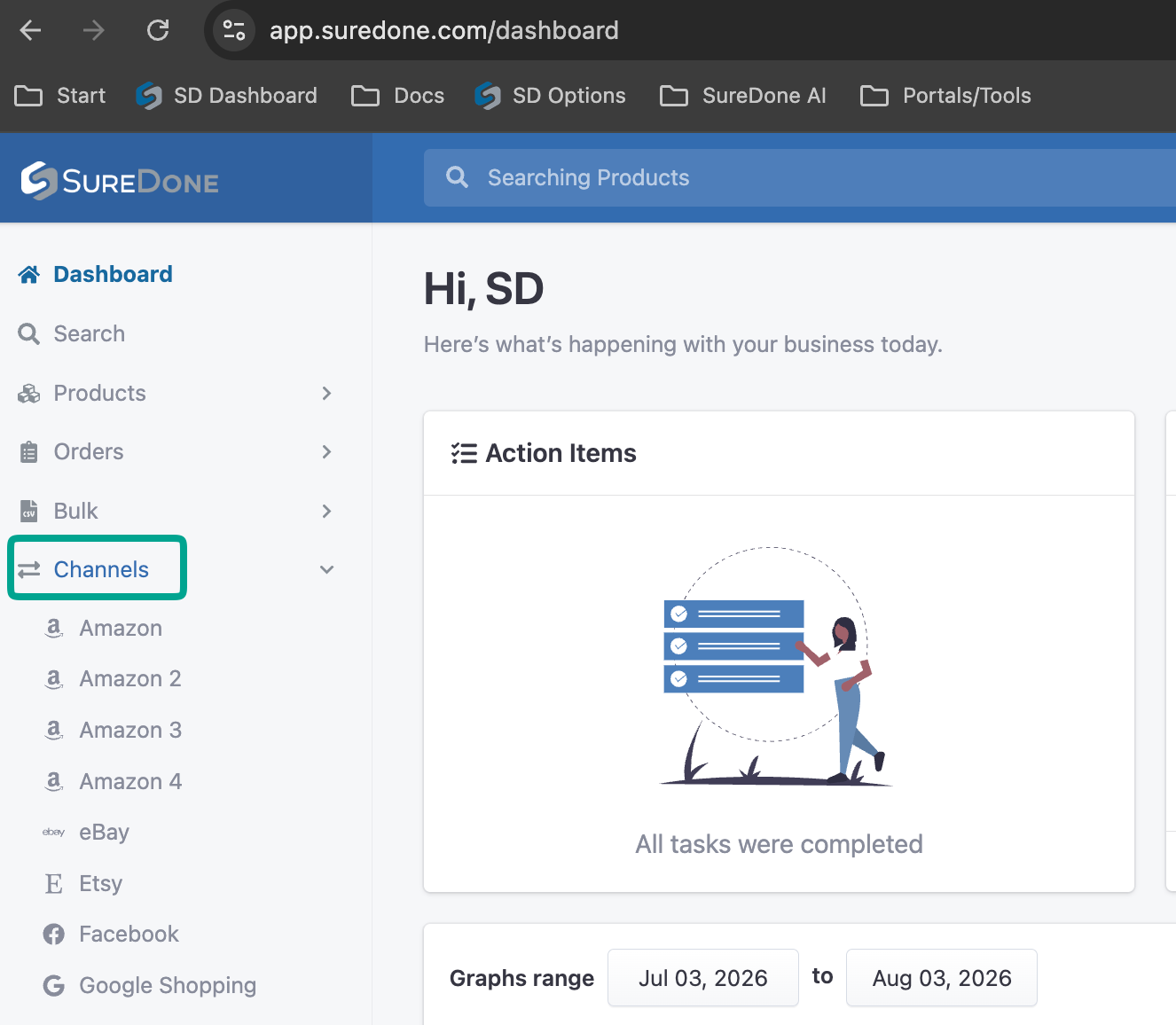
It expands into the channels that can be enabled/authorized in your account
Choose the Desired Channel
For authorizing eBay, follow this guide: https://suredone.freshdesk.com/support/solutions/articles/1000258245-adding-a-new-ebay-instance
For authorizing Amazon, follow this guide: https://suredone.freshdesk.com/support/solutions/articles/1000228763-adding-a-new-amazon-instance
You will need to repeat this process for each instance of the channel that need to be linked.
PLEASE NOTE: The security and control of your data is very important to us and you will be able to revoke this permission at any stage.
