

Amazon returns this error when the product type you're listing under requires a Unit Count and your product doesn't have one. Amazon used to report the same problem as error code 8560, "Missing Attributes unit_count".
90220: 'Unit Count' is required but missing.
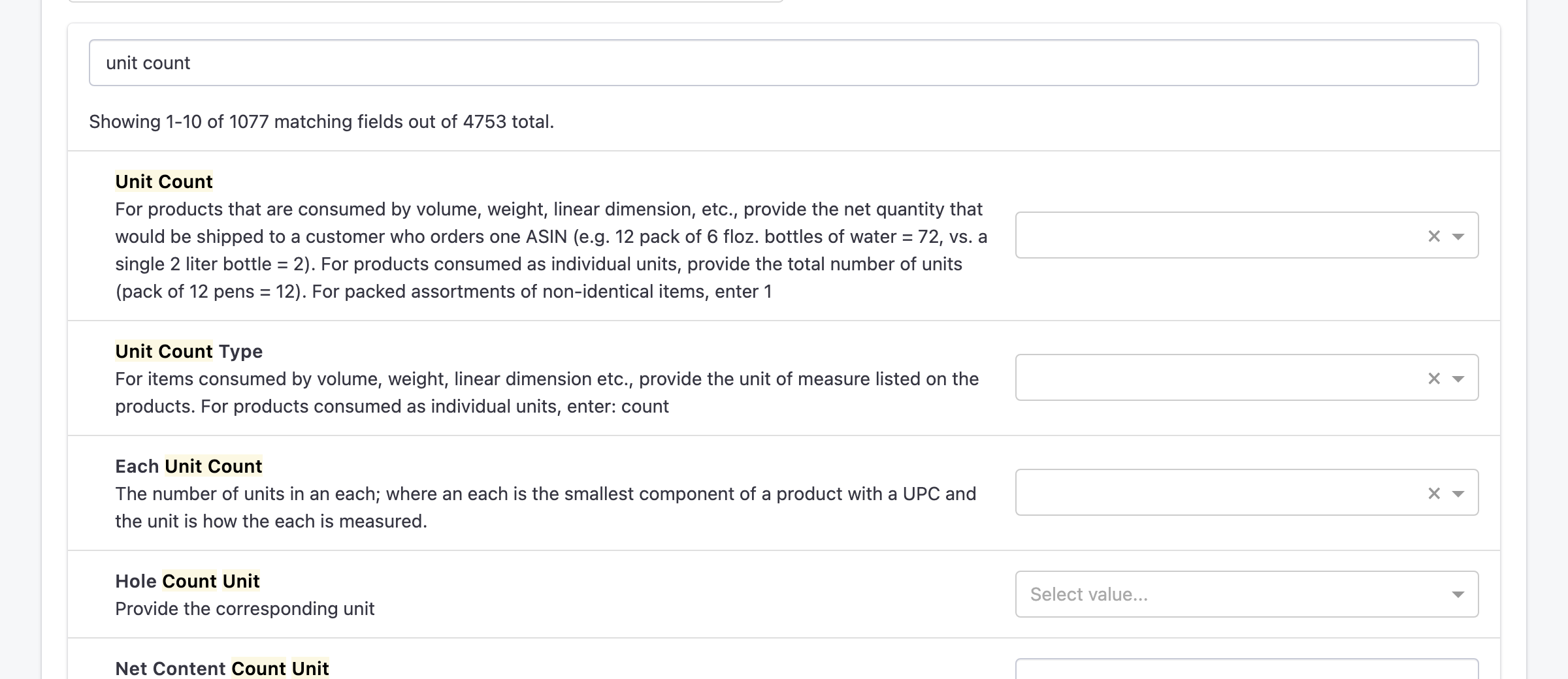
Unit Count tells shoppers how much of the product they get. Amazon wants two values:
- Unit Count: the number, for example 12 for a pack of 12 pens, or 72 for a 12-pack of 6 fl oz bottles.
- Unit Count Type: what the number counts, for example count for individual items, or the unit of measure printed on the product for items sold by volume or weight.
Fixing it
- If you don't already have product fields for these values, create them under Settings > Custom Fields, for example unitcount and unitcounttype. See How To: Create Custom Fields For Products and Orders.
- Go to Channels > Amazon > Manage Fields and type "unit count" in Search fields.
- Map Unit Count to your number field and Unit Count Type to your type field, then click Save changes.
- Fill in both fields on the product, in the product editor or in a bulk upload using the field names as column headers.
- Send the product to Amazon again: click Update in the product editor, or Relist/Publish Item if it isn't on Amazon yet.
To check the result, open Logs and filter by the amazon channel, or check the Amazon page under Errors.
