Error:
- ["[Code:13013] [Error]This SKU does not exist in the Amazon.com catalog. Your inventory data was not processed. For reasons why, and help fixing this, see http://sellercentral.amazon.com/gp/errorcode/13013"]
Explanation:
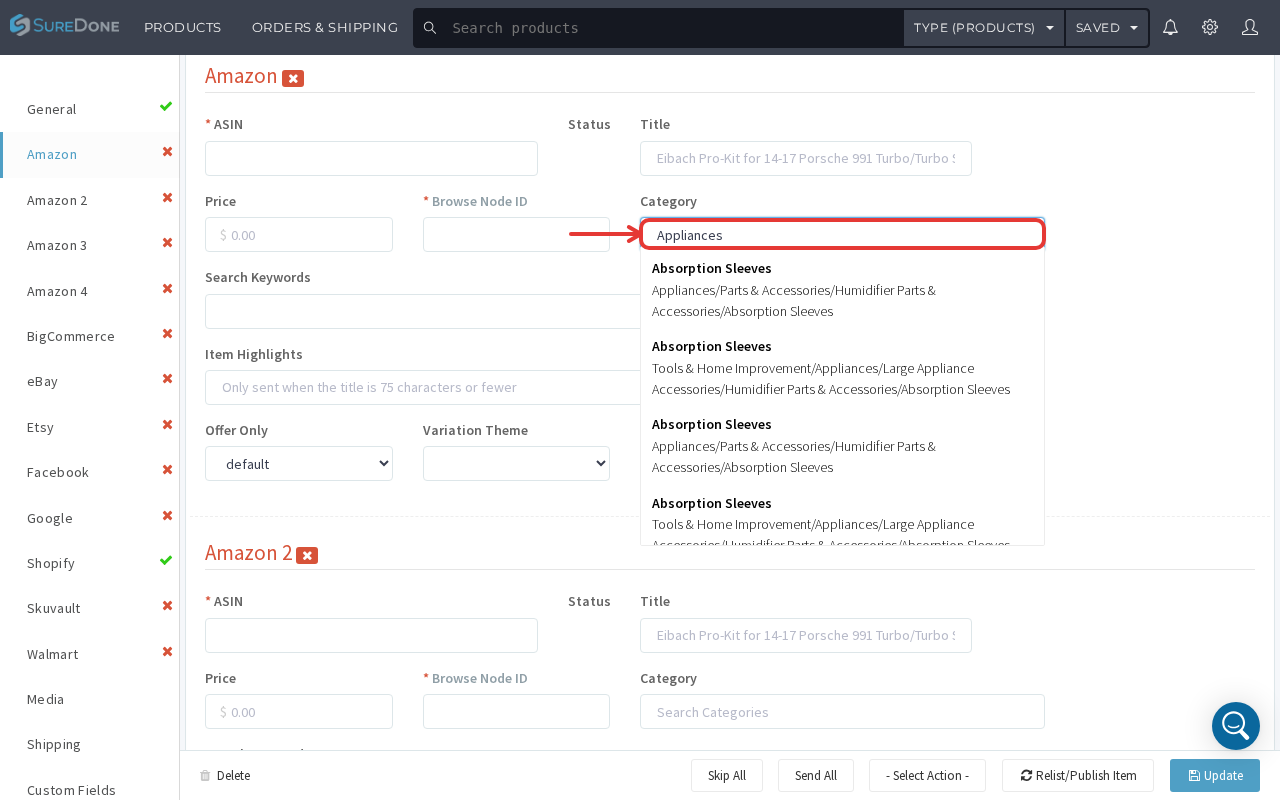
This error code is usually associated with not having the proper identifiers to list an item to Amazon. If you are creating a new ASIN on Amazon, you will need a VALID UPC (12-digit bar code), that you have not used before. You also need to make sure that you have selected the correct category for that item. In the product editor, open the Amazon tab and use the single "Category" search field: type a keyword (e.g. the product type) and choose the matching full category path from the suggestions that appear — the field will populate with the selected path automatically. (This replaces the older two-dropdown "Amazon Category"/"Amazon Sub-Category" selector.)