


TABLE OF CONTENTS
- Introduction
- Automatic Distributors SKU Import
- Automatic Distributors Inventory Update
- Automatic Distributors Orders Drop Shipping
- Automatic Distributors Orders Tracking Import
- Automatic Distributors Catalog Import
- Automatic Distributors Cost Import
Introduction
Are you looking to automate Automatic Distributors pricing and inventory/stock updates when listing products to eBay, Shopify, Amazon, Walmart.com, BigCommerce and other e-commerce marketplaces and channels?
The Automatic Distributors connection is comprised of multiple separate automations, each performing a function.
You should enable them in this order. Read the description for each section to understand why.
- Automatic Distributors SKU Import or Catalog Import
- Automatic Distributors Inventory Update
- Automatic Distributors Orders Drop Shipping
- Automatic Distributors Orders Tracking Import
You will need FTP credentials from the Automatic Distributors API team in order to use these automations.
Drop Shipping Modes
There are two modes the Drop Shipping integration may operate in: Manual Drop Shipping and Automated Drop Shipping.
- Manual Drop Shipping - On the order page, you manually set order item vendor with a value of autodist for orders that may be sent to Automatic Distributors and then save the order.
- Automated Drop Shipping - If automated drop shipping is enabled, and autodiststock is the first stock control field (found under Settings > Selling > Stock Options > Stock Control Fields) that shows the product in stock, SureDone will automatically send the order to Automatic Distributors. In other words, let's say you have 2 vendors you can order the product from - XYZ and Meyers. In the stock control field setting (mentioned previously) it shows "xyzstock autodiststock", if xyzstock has positive stock AND autodiststock has positive stock (as seen in on the item page itself), we'll first fulfill using "xyz". If it shows "autodiststock xyzstock", and both distributors have the product in stock, we'll send the order to Meyers since it's listed first.
Shipping Service Mapping for Drop Shipping
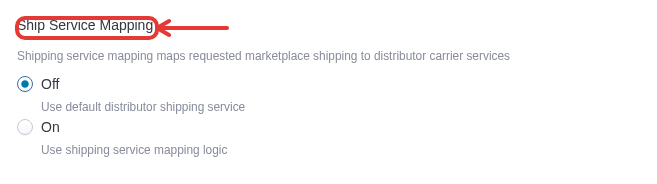
SureDone offers an optional feature for mapping of requested eBay and Amazon shipping services to their equivalent offered by the distributor. In order to leverage this feature you must turn on the "Ship Service Mapping" parameter (found on the Orders Drop Shipping automation's Configure step). It is disabled by default. To understand which eBay/Amazon shipping service map to which vendor shipping service, please see the following Distributor Ship Services Mapping Sheet. In the sheet, if you do not see a distributor shipping service that matches that of the Amazon/eBay shipping service then there is no direct mapping for that service and the automation uses the default shipping type.
Automatic Distributors SKU Import
- This will create a "autodistsku" field in your account.
- The automation will attempt to link existing products in your account to those in the Automatic Distributors catalog by matching with the UPC of each of your products.
- Runs once every morning at the top of the hour.
Automatic Distributors Inventory Update
- This will create a "autodiststock" field in your account.
- The "autodiststock" field will automatically be added as a stock control field (found under Settings > Selling > Stock Options > Stock Control Fields). Any number in this field will be added to the stock sent to your marketplaces.
- Optionally, should there already be fields created below the integration will sync the following fields as autodist location inventory stock fields:
- autodiststockbangor: Warehouse_1_Quantity
- autodiststockindy: Warehouse_2_Quantity
- autodiststockreno: Warehouse_3_Quantity ⛔ DO NOT PUBLISH THIS ARTICLE. This is an AI review copy in the Guides AI folder. Make any edits here and Save as draft — do not click Publish. Then go back to the Docs Reviewer and use “Publish to original guide”, which updates the live guide at its original URL. Publishing this copy would create a duplicate guide with a new URL.