

Convermax SureDone Fitment Integration Guide
This guide explains how the Convermax SureDone fitment integration works, what data is exchanged, and what information is needed during setup.
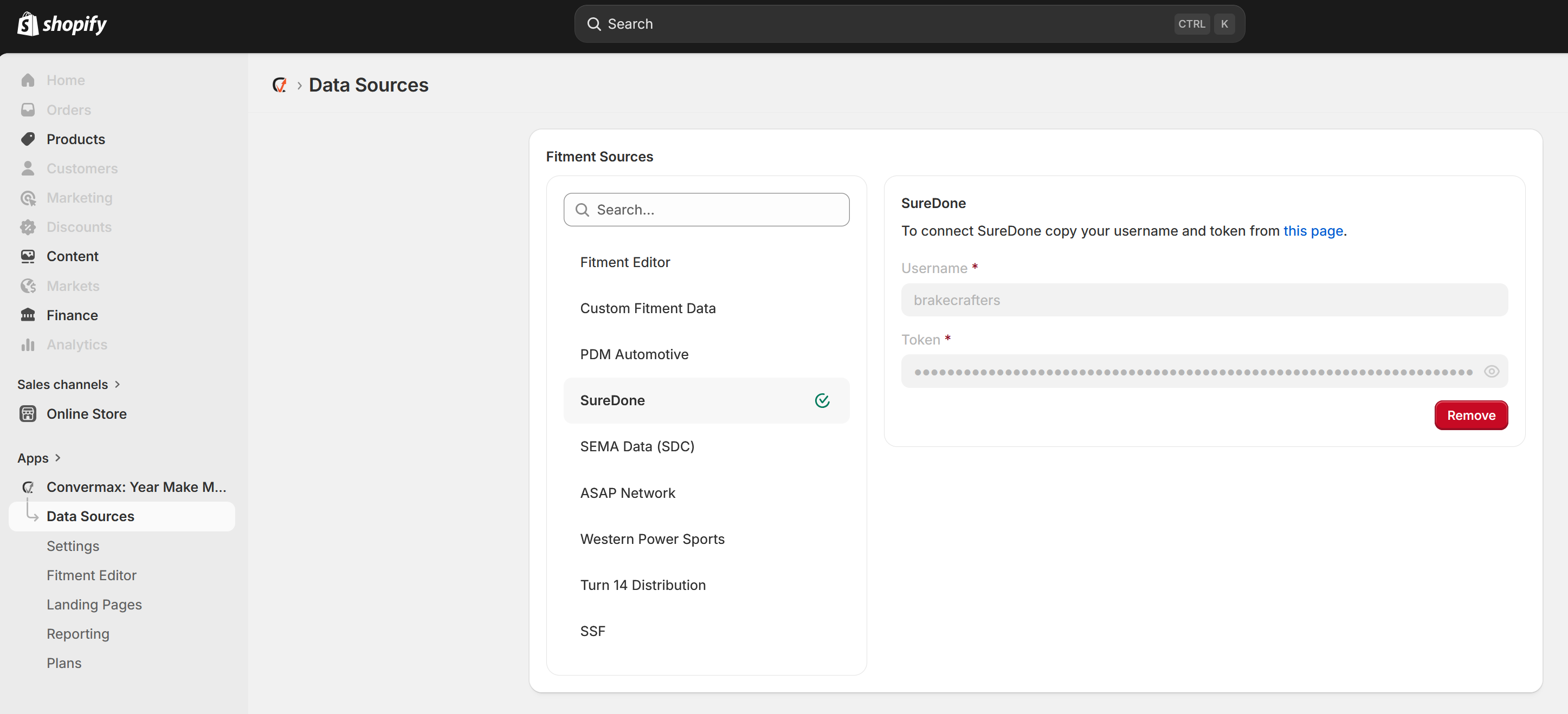
Overview
The Convermax SureDone integration allows Convermax to pull fitment data directly from SureDone so your fitment information stays aligned with the latest data in your SureDone account. The integration was built and is managed from the Convermax side, meaning that all configurations will need to be managed there.
By default, Convermax pulls fitment data from SureDone during each store reindex. This keeps fitments in sync automatically as changes are made in SureDone.
In addition to fitment data, Convermax can also pull selected product attributes from SureDone when requested. If you would like product attributes included, the specific fields must be defined in advance during setup within Convermax.
How the Integration Works
Convermax integrates using the SureDone API to generate and retrieve an export containing the fitment data needed by Convermax.
- Convermax sends a request to the SureDone API to trigger an export.
- Convermax sends a follow-up request to retrieve the link to the completed export file.
- Convermax processes the export and extracts the product SKUs and fitment data.
- During each store reindex, the latest fitment data is pulled again to keep the store synchronized.
What Data Is Pulled
- SKUs used to identify products
- Fitment data associated with those SKUs
- Optional product attributes, if requested and configured in advance
Fitment Sync Behavior
Fitment data is pulled from SureDone with each store reindex by default. This means the fitment information displayed through Convermax remains aligned with the current data available in SureDone.
If fitments are updated in SureDone, those changes will be reflected the next time the store is reindexed.
Optional Product Attributes
Convermax can also import product attributes from SureDone in addition to fitment data.
To enable this, you must provide the exact attribute names you want included before setup or configuration. Only the requested attributes will be pulled.
Examples may include:
- Brand
- Manufacturer Part Number
- UPC
- Custom merchandising fields
Attribute availability depends on the data stored in your SureDone account.
Setup Requirements
To configure the integration, Convermax typically needs:
- Access to the SureDone export process through the SureDone API
- API keys can be retrieved in SureDone under Settings > Organization > Security.
- Confirmation that fitment data is available in SureDone
- A search of products with filter ebayepid:-= will identify items with fitment saved to them.
- A list of any optional product attributes to include
- Use the field name used in uploads and exports, such as mpn for Manufacturer Part Number or upc for UPC.
Important Notes
- Fitment syncing is tied to the store reindex process.
- Fitment data is kept current by default through repeated export retrieval during reindexing.
- Optional product attributes are not included unless they are specifically requested in advance.
- SKU consistency in SureDone is important to ensure products match correctly during import.
Troubleshooting Considerations
If expected fitment data is not appearing correctly, review the following:
- Confirm the product has fitment data present in SureDone.
- Confirm the SKU in SureDone matches the SKU expected by Convermax.
- Confirm the latest store reindex has completed.
- Confirm any requested product attributes were identified and configured during setup.
Need Help?
If you need assistance configuring the Convermax SureDone fitment integration, reach out to the Convermax team at team@convermax.com.